
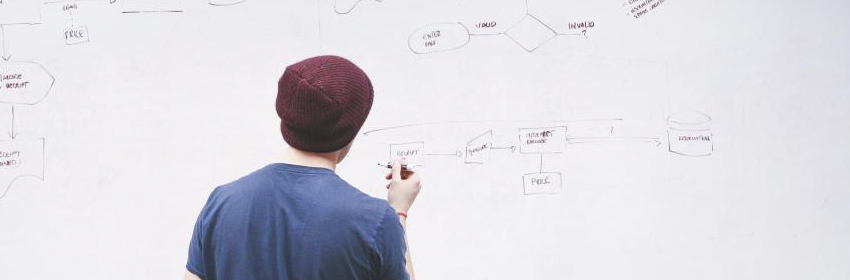
Whether starting a new project in an old PM position, or taking over an existing existing project under your wing, there comes the time for employee accountability and task clarification. In my opinion, your first and most powerful weapon to battle against project dragging and outright chaos, is the Kanban board. Yes, straight out of the land of Samurai and ramen, the kanban board is your nexus of project clarification.
Why a kanban board? Is it really effective? Last thing I need is another piece of wall art telling me what to do… Well, most of these questions, if not all of these questions can be answered just by knowing what the Kanban board is. Yes, it is that powerful of a tool, because once you truly know what it is, it will be very clear on how to get it going, use it, and send your task samurais across the waste riddled project battlefield.
What it is physically. Well, a bullitin board, grease board and taped lines work, possibly even a blank area of your wall with taped lines and post it notes works, some might even opt for web mobil enabled fancy pants digital version, and yes, those do have their place. To start out with, lets just grab a grease ( white board ), some markers, sharpie, and some post it notes. Following is a few examples:
( image of grease board kanban ) ( image of digital kanban ) ( image of adhoc kanban )
The Lean side of my PM / Agilist nature likes the simple, keep the tools simple and just enough for your environment, never let the tool dictate your environment.. I will have an article or two on that pitfall later, and what a fall it is!
Any good Kanban board will be made of up a few columns, most of these are required, but a few, or many more can be added.. again.. start with as few as you can get away with, and slowly expand if and only if it makes life easier. Remember the simple rule.
The most simple of all Kanban boards, the three column Kanban board example. Starting with my rule of simple, we will lay out three columns from the left to the right, at the top of the left column, we will label ‘To do’, middle column, ‘In progress’, and third column ‘Done!’. One might say, we are just making a to do list with status of each task telling us if that task is something that needs to be done, working on, and done. Yes, that person would be right. Simple, I know, but keep with me.
We can use the project example of ‘serve a simple breakfast’ with two sub-projects ‘frying an egg’ and ‘making toast’. This example will illustrate several more important aspects of our ‘to do list with status indication’, or Kanban board.
With your favorite writing utensil, take some post it notes, and on each one, write a unique number starting with 1, and a step on either frying an egg, or making toast. For the shy and uninspired I will write out this example list of tasks.
(1 ) Turn on burner to medium low.
(2) Place pan on burner
(3) Add 1 tsp. Avocado Cooking oil
(4) Crack Open Egg in to pan
(5) Cook Egg to desired wellness
(6) Empty Egg on to serving plate
(7) Remove a slice a bread from the bag of bread
(8) Place slice of bread in toaster
(9) Turn on toaster
(10) remove toast once it reaches appropriate toast-i-ness
(11) Place toasted bread on serving plate
(12) Serve a simple breakfast
Once you have written out your 12 steps on their own post it notes, put them all in the ‘to do column’. Hopefully by now you will have realized that many of these steps will need to be in a certain order, maybe it was the order you happened to number them, maybe not. Next we will have to apply some egg frying know-how, or what us in the Agile/Scrum world like to call, domain knowledge, yes I know, fancy pants word again. So, as long as you have a good handle on how to fry and egg, and make toast, you have the required domain knowledge needed for this project.
Applying task ordering, or prerequisites to our tasks. Order the tasks in two columns, one for frying egg and one for making toast. In a different color pen, pencil, or crayon for some of you out there, let’s apply a 2nd set of numbers on each task, and only one number per task. This number will be what task number must be completed just before this task can be started, yes, a prerequisite task. It should become clear that for each step of sub-projects frying an egg and making toast, has a step that must be completed before it can be started, except for each of the first task in each sub-project respectfully. Only the last task, ‘Serve a simple breakfast’ requires two tasks to be completed, so only that post it not will have 2 prerequisites.
Having two sets of tasks making up the two sub-projects, it should have occurred to you that you can run both sub-projects simultaneously, given you have that the appropriate people power with appropriate domain knowledge.
Obviously this is an extremely simple version of a project management tool, but in it simplicity and very distinct status columns, it become a powerful information hub on the status of a project to anyone who walks by and glances at the kanban board. This serves many labor saving and headache sparing uses like ‘Has this task been started yet?’ ‘Has this task been completed yet’, ‘how many tasks remain for this project?’, and of course, ‘are we there yet?’. Joking aside, it also allows for others to see at a glance, what they can work on that needs doing and they can start on it without fear that someone else has already done it.
This kanban example only shows the most basic aspects, albeit it still powerful aspects, but it gets even better. In Kanban basics part two, I will go over adding status columns for more clarity, flow control metrics and why you want it, task swarming, and more!